SPEND LESS ON STORAGE
How to Save on xD Cards: When a microSD Adapter Works
Compatibility details are based on manufacturer documentation. How we check ↗
START HERE
For an Olympus camera with explicit MASD-1 support, a suitable microSD or microSDHC card plus the correct attachment can be a lower-cost storage route. MASD-1 is not a universal xD adapter and is not for Fujifilm cameras. Some Fujifilm models instead have a native SD option.
Find my camera’s parts ↗1. Check MASD-1 support before comparing prices.
Read the complete camera model and check it against Olympus’s compatible-model list. The manufacturer lists models including Tough-6000 and FE-370 for its MASD-1 attachment. An xD slot by itself does not establish support.
Open the Olympus Stylus Tough-6000 or Olympus FE-370 guide for that exact model’s references. Then check the supported microSD card and capacity on the manufacturer list. Do not replace that check with “it looks like the same slot.”
The MASD-1 has a different shape from an xD-Picture Card. Do not force it into an incompatible camera, printer or reader. It also does not establish support for microSDXC or every newer, larger microSD card.
2. Add the microSD card to the adapter cost.
| Storage route | Listed price | What else to include |
|---|---|---|
| 1GB original-format card | $39.99 | A suitable reader if you do not already have one. |
| Adapter with a separate compatible microSD card | $12.99 for the adapter only | The microSD card, any reader you need, shipping and tax. |
Prices checked 2026-10-15; current prices and availability may change. The two routes can have different capacities and features. Both must suit your exact camera. No microSD card is included with either adapter linked here.
At this price check, the 1GB xD card is $39.99 and the MASD-1-style adapter is $12.99. The difference is $27.00 before buying a microSD card and accounting for any reader, shipping or tax. If you already own a supported microSD card and reader, that can make the adapter route attractive.
This compares two possible storage routes, not identical media or capacity. Your camera and intended features must support the route you choose. Some panorama functions require Olympus xD media; check the exact manual if that feature matters.
3. Compare the Olympus adapter at Retro Digitals.
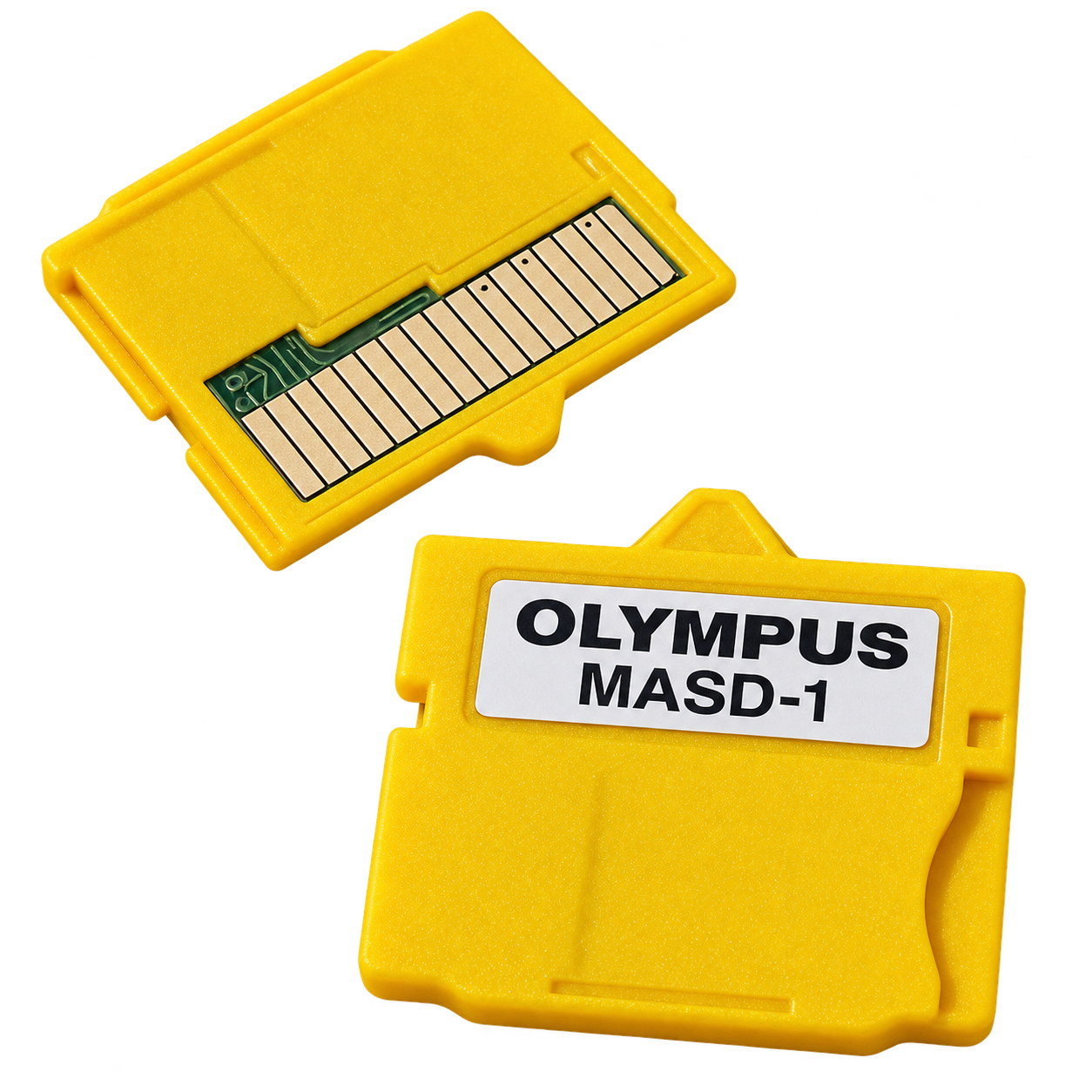
This listing is for a MASD-1-style attachment for supported Olympus cameras. The microSD card is not included. Confirm your exact model and supported card before ordering.
View the MASD-1 microSD adapter for Olympus ↗Retro Digitals runs Findicam and benefits from purchases in its store. About our shopping links.
Follow your model’s manual to fit the card and attachment with the camera off. Back up existing files before formatting. Take and copy a few test pictures before depending on the setup for a trip or event.
For transfer, remove the microSD card from the Olympus attachment and use a compatible microSD reader. Do not insert the attachment into an ordinary xD reader as though it were an xD card.
4. For Fujifilm, check for a native SD option.
The MASD-1 route above is not for Fujifilm cameras. The Fujifilm FinePix F30 uses xD-Picture Card; this adapter is not its replacement. Choose the supported xD type and capacity for that model instead.
The Fujifilm FinePix F40fd has both xD and standard SD support in its manual. Findicam’s conservative SD choice for it is a full-size 2GB standard SD card. We do not assert SDHC support without checking the required firmware. A native SD option can avoid buying an xD card without needing an xD adapter.
For a Fujifilm model that requires xD, compare supported capacities rather than automatically buying the largest card. Check the xD-Picture Card options at Retro Digitals ↗, then match the exact type and capacity to the camera and reader.
5. Use this short buying checklist.
- Supported Olympus: confirm MASD-1 support, then add the attachment, compatible microSD card and any reader to the total.
- Fujifilm with SD support: compare a documented SD card first, including the correct standard and capacity.
- Camera requiring xD: choose supported xD media and an xD-capable reader, or use the camera’s documented data cable for transfer.
- Existing working kit: keep using it unless the new route solves a real cost or transfer problem.
Our xD card and reader guide explains card types and reader matching. If you already have photos on a card that another device cannot read, copy or recover them before formatting it.
Manufacturer references
Open an exact-model guide for its battery, charger and card details, or check the original manufacturer references below.
- Olympus Stylus Tough-6000 instruction manual
Package contents; battery and charger; xD and microSD Attachment; USB Multi-connector and specifications
- Olympus FE-370 instruction manual
Supplied accessories; charging the battery; memory cards; USB/computer connection
- Fujifilm FinePix F30 Owner’s Manual
Supplied accessories; charging; memory cards; USB computer connection; optional accessories; specifications (PDF retrieved and read).
- Fujifilm current FinePix battery and charger compatibility table
F30 row: NP-95 / BC-65N
- Fujifilm FinePix F40fd Owner’s Manual
Supplied accessories; charging; memory cards; USB computer connection; optional accessories; specifications (PDF retrieved and read). Memory-card compatibility: PDF page 156.
- Olympus MASD-1 compatible-camera and tested-card list
Compatible Olympus models; tested microSD / microSDHC cards; insertion restrictions and feature limitations (Japanese).
- Olympus Tough-6000 manufacturer questions and answers
xD and microSD options, MASD-1 compatibility restrictions and card handling.
- Olympus FE-370 manufacturer questions and answers
MASD-1 microSD support; panorama limitations and incompatible devices.