SPEND LESS ON STORAGE
How to Save on Memory Stick Cards: A microSD Adapter Guide
Compatibility details are based on manufacturer documentation. How we check ↗
START HERE
A microSD-to-Memory Stick PRO Duo adapter can cost less than an original-format card when your exact camera, adapter and microSD card work together. Check that combination before buying. If your Sony camera already supports SD, you may be able to skip the PRO Duo adapter altogether.
Find my camera’s parts ↗1. Check which Memory Stick format you need.
Start with the full Sony camera model and its manual. Full-size Memory Stick, Memory Stick PRO Duo and Memory Stick Micro (M2) are different formats. The black adapter discussed here has a PRO Duo-size body; it is not a replacement for every card carrying the Memory Stick name.
The Sony Cyber-shot DSC-W55 and Sony Cyber-shot DSC-W120 use Memory Stick Duo-family media rather than SD. Their manuals establish the supported original media, not compatibility with every third-party microSD adapter. A PRO Duo-shaped slot is the starting check, not the final compatibility test.
Ask the adapter seller to confirm your complete camera model, the adapter version and the microSD capacity you intend to use. A result from a PSP or a different Cyber-shot model does not establish the same result in your camera.
2. See whether you can use SD without a PRO Duo adapter.
The Sony Cyber-shot DSC-W350 has a documented SD / SDHC option, and the Sony Cyber-shot DSC-W800 supports SD / SDHC / SDXC. For these cameras, compare a supported full-size SD card before buying any Memory Stick adapter.
This is often the simplest cost check: you may already own a suitable card and reader. Use the exact model’s capacity and speed guidance. A full-size SD option does not mean that any high-capacity SDXC or microSD card is supported by every Sony model.
Use our Sony Memory Stick versus SD comparison to identify the storage route for your camera.
3. Compare the complete cost, not the adapter price alone.
| Storage route | Listed price | What else to include |
|---|---|---|
| 4GB original-format card | $22.99 | A suitable reader if you do not already have one. |
| Adapter with a separate compatible microSD card | $13.99 for the adapter only | The microSD card, any reader you need, shipping and tax. |
Prices checked 2026-10-15; current prices and availability may change. The two routes can have different capacities and features. Both must suit your exact camera. No microSD card is included with either adapter linked here.
In this snapshot, the 4GB PRO Duo card is $22.99 and the adapter is $13.99. That leaves $9.00 for a compatible microSD card before reaching the card-only price, assuming other costs are equal. If you already own a suitable microSD card, the adapter has a $9.00 lower upfront accessory cost in this example.
If you need to buy a microSD card or an extra reader, add those costs first. A supported smaller original-format card can also cost less than a higher-capacity one. An adapter is an option to compare, not an automatic saving.
4. Check the Retro Digitals adapter.
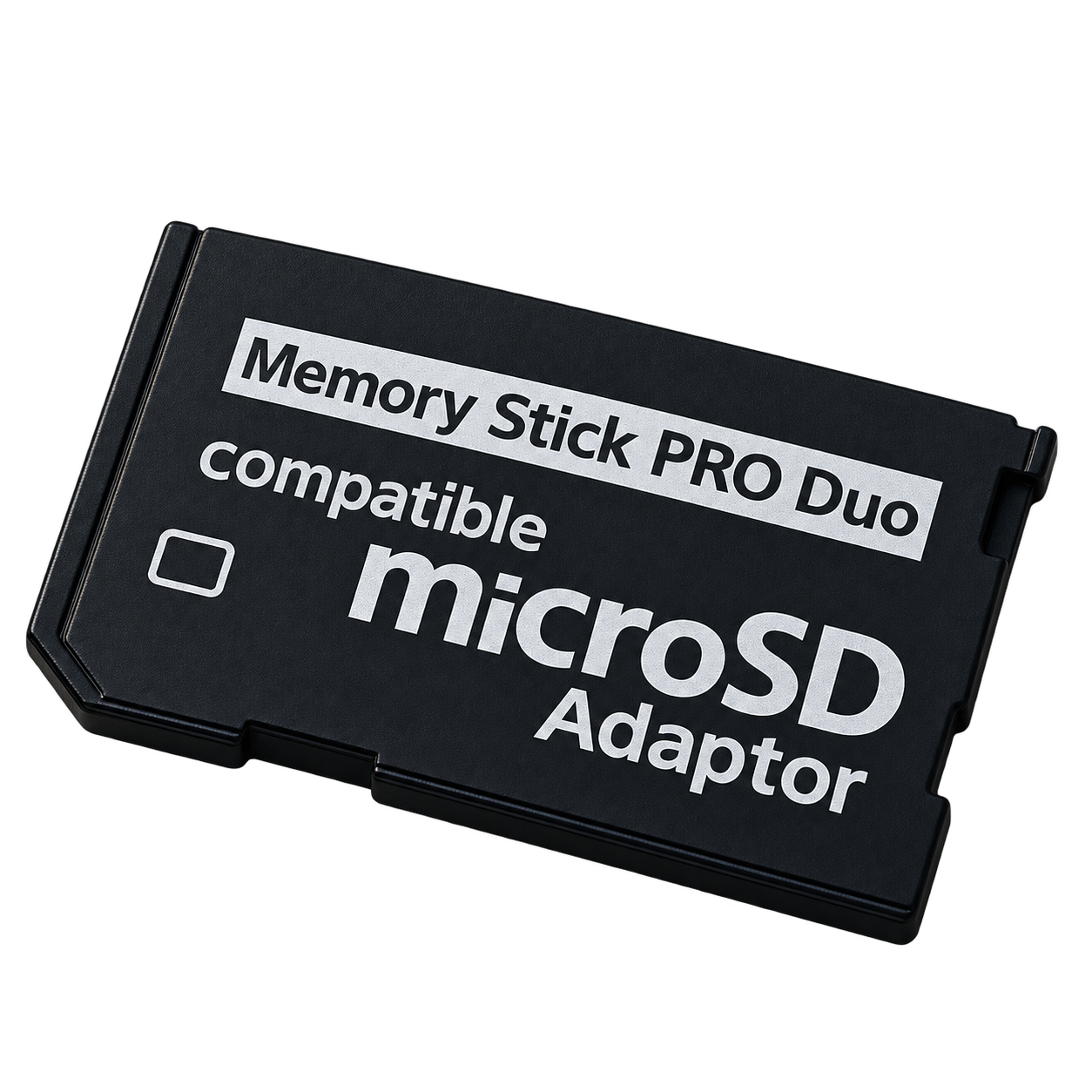
For a supported PRO Duo setup, compare this adapter with an original-format card. It contains no storage; a compatible microSD card is required separately.
View the microSD to Memory Stick PRO Duo adapter ↗Retro Digitals runs Findicam and benefits from purchases in its store. About our shopping links.
The listing explains the host format, separate-card requirement and compatibility limits. Findicam has not verified this adapter with every camera in the catalog. Confirm the exact combination before ordering, including any movie-mode or MagicGate requirements.
If a supported original-format card is the better option for your camera, compare the Memory Stick PRO Duo card sizes ↗.
5. Test the complete setup before relying on it.
- Back up any files on the microSD card before preparing it.
- With the camera off, insert the supported microSD card into the adapter and fit the adapter as directed.
- If required, format it using the camera’s instructions. Formatting erases existing files.
- Take several photos, check playback, turn the camera off and on, and check that the files remain readable.
- Copy a test photo to your own phone or computer. If you use video, test your intended recording mode too.
If the camera rejects the setup, recheck the exact model, capacity and adapter rather than buying a larger card. The cheapest useful solution is one that both records and transfers your photos reliably.
Manufacturer references
Open an exact-model guide for its battery, charger and card details, or check the original manufacturer references below.
- Sony DSC-W55 memory cards
Memory Stick Duo types, p. 4; supported capacities and PRO Duo movie requirement, pp. 27–28
- Sony DSC-W120 operating instructions
Supplied battery, charger and multi-use cable; Memory Stick Duo/PRO Duo; photo transfer
- Sony DSC-W350 manual downloads
Included charger: BC-CSN / BC-CSNB
- Sony DSC-W350 memory cards
Notes on memory cards, p. 3: SD / SDHC up to 32GB; Memory Stick alternatives
- Sony DSC-W800 specifications
Supplied battery, adapter, cable and Multi (AV/USB) terminal
- Sony DSC-W800 compatible batteries
Compatible battery pack
- Sony DSC-W800 charging guide
In-camera charging with the supplied adapter
- Cyber-shot DSC-W800 memory card help guide
Memory card: SD / SDHC / SDXC; Memory Stick alternatives and adapters